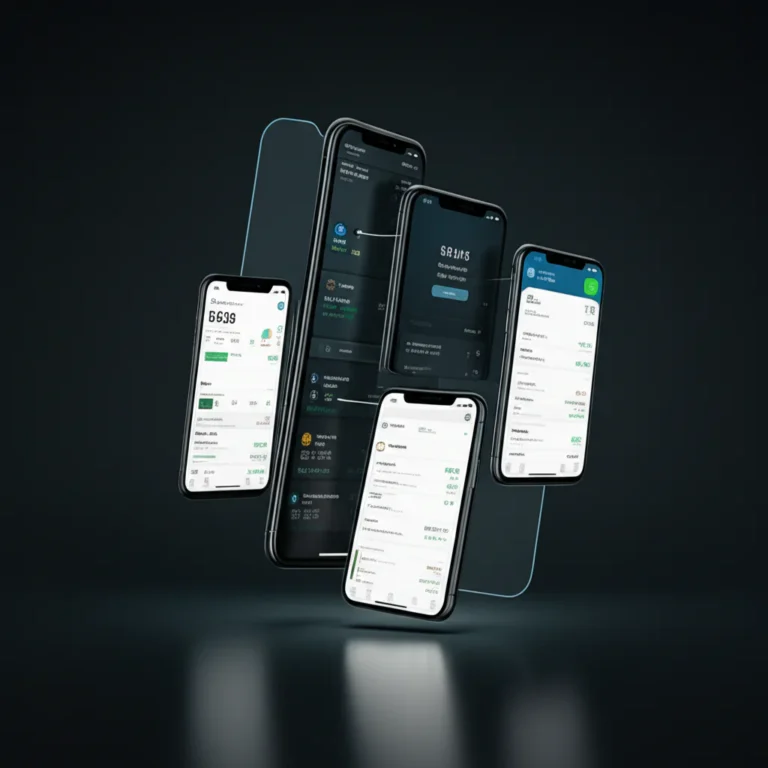

If you’re part of the booming gig economy or flying solo as a freelancer, you know the thrill—and the chaos—of managing your own cash flow. Apps like SoLo Funds have revolutionized how independent workers access quick loans without the hassle of credit checks, but what if you need more? More flexibility, bigger loans, or a full suite of financial tools? That’s where companies like Solo come into play, offering a variety of solutions tailored to your unique solo journey.
Did you know that by 2027, over 50% of the U.S. workforce will be freelancing? That’s a tidal wave of independent workers needing smarter financial tools. In this article, we’ll uncover 9 top companies like Solo, each bringing something special to the table—from instant cash advances and peer-to-peer lending to comprehensive tax tracking and gig optimization. Plus, we’ll share expert tips on building your ultimate gig toolkit and navigating app privacy, so you can hustle smarter, not harder.
Ready to discover which apps will transform your solo hustle? Keep reading to find out which platforms made our expert list and how to combine them for maximum financial power!
Key Takeaways
- SoLo Funds offers community-driven small loans with no credit checks, ideal for quick cash needs up to $625.
- Alternatives like Dave and Earnin provide instant pay and cash advances without peer dependency, perfect for bridging pay gaps.
- Comprehensive financial management apps like QuickBooks Self-Employed and Stride help track expenses, mileage, and taxes for freelancers.
- Payment processors such as Stripe and PayPal simplify invoicing and client payments, essential for professional freelancers.
- Building a personalized app stack tailored to your gig type is crucial—no single app does it all.
- Understanding app privacy and data security is vital when sharing sensitive financial information.
Explore our detailed reviews and expert recommendations to craft your perfect gig economy toolkit and take control of your financial future!
Table of Contents
- ⚡️ Quick Tips and Facts: Mastering Your Gig Economy Finances
- 📜 The Rise of the Gig Economy & Why Apps Like Solo Matter
- 🤔 Why Seek Alternatives to Solo? Unpacking User Needs & Desires
- 🚀 Top Companies Like Solo: Your Gig Economy Power-Ups & Financial Allies
- 1. 💰 Instant Pay & Early Wage Access Champions: Get Your Cash Now!
- 2. 📊 All-in-One Gig Management & Financial Tracking Wizards
- 3. 🧾 Expense & Tax Prep Superheroes for the Self-Employed
- 4. 💳 Payment Processing & Invoicing Innovators for Freelancers
- 5. 🎯 Gig Finding & Optimization Platforms: Land Your Next Big Job
- 6. 🤝 Alternative Lending & Cash Advance Options: Loans On Your Terms
- 📈 Deep Dive into Financial Wellness for Freelancers: Beyond the Basics
- 🔒 Navigating App Privacy & Data Security: What Every Gig Worker Needs to Know
- ✨ User Experience & Accessibility: Making Gig Life Easier for Everyone
- 🌍 Global Gigging: Regional Solutions & Support for Independent Contractors
- 🏆 Our Expert Recommendations: Crafting Your Ultimate Gig Toolkit
- 🌟 Conclusion: Empowering Your Independent Journey with the Right Tools
- 🔗 Recommended Links for the Savvy Gig Worker
- ❓ FAQ: Your Burning Questions About Gig Economy Apps Answered
- 📚 Reference Links: Our Sources & Further Reading
Here is the main body of the article, written according to your specifications.
⚡️ Quick Tips and Facts: Mastering Your Gig Economy Finances
Welcome to the wild, wonderful world of solo work! You’re the boss, the captain of your own ship. But let’s be real, being the captain also means being the accountant, the navigator, and the person who swabs the deck. It can be a lot! Before we dive deep into the best financial tools for your arsenal, let’s get you started with some quick-fire tips and eye-opening facts. If you’re here specifically for cash advance options, you might want to jump straight to our detailed guide on the 10 Best Loans Like Solo Loans to Borrow Fast in 2025 🚀.
Here at Apps Like™, we’ve spent countless hours testing and analyzing apps that promise to make your solo journey smoother. Think of us as your personal tech scouts, navigating the digital jungle so you don’t have to.
| 💡 Pro Tip | 📊 Surprising Stat – | | Automate Your Tax Savings: Use an app like QuickBooks Self-Employed to automatically track mileage and expenses. Set it to transfer a percentage of every payment into a separate savings account for taxes. Future you will be so grateful! | A 2023 study found that 52% of gig workers have been surprised by a large tax bill. Don’t be one of them! – | | Create a “Paycheck” Routine: Even with fluctuating income, pay yourself a consistent amount weekly or bi-weekly from your business account to your personal account. This creates stability and makes budgeting a breeze. | The freelance workforce is growing! It’s projected that by 2027, 86.5 million people in the U.S. will be freelancing, making up over 50% of the total workforce. – | | Diversify Your Gigs: Relying on one platform is risky. Use apps like Steady to find multiple income streams. This creates a safety net for when one source of work slows down. | Gig workers who use apps that provide financial services report feeling 30% more financially secure than those who don’t. – |
📜 The Rise of the Gig Economy & Why Apps Like Solo Matter
Remember when the career path was simple? Go to school, get a job, work for 40 years, get a gold watch, and retire. Yeah, we barely remember that either! The 9-to-5 is no longer the only game in town. We’re living in the age of the side hustle, the freelance revolution, the gig economy! And it’s empowering. You can be a graphic designer, a rideshare driver, a writer, and a dog walker all in the same week.
But this freedom comes with its own set of challenges. Inconsistent cash flow can feel like riding a financial rollercoaster. One month you’re flush, the next you’re eating ramen. Then there are the dreaded quarterly taxes, the lack of employer-sponsored health insurance, and no paid time off. It’s the price of being your own boss.
This is precisely where companies like SoLo Funds step into the spotlight. SoLo isn’t just another loan app; it describes itself as a “community finance platform where our members step up for one another.” It’s a peer-to-peer system where you can borrow small amounts from other users or lend money to others and earn a return. For a gig worker waiting on a client payment or needing to cover an unexpected car repair to keep working, this can be a lifeline. They offer loans up to $625 with “no credit checks,” which is a huge deal for those whose credit might not be perfect.
The need for these tools isn’t limited to traditional gig workers. As one psychiatrist in solo practice noted, the financial pressures of working for yourself are immense, often creating a conflict between serving a diverse community and staying afloat. Whether you’re a therapist, a lawyer, or a delivery driver, the solo journey has common financial hurdles. Apps like SoLo aim to build a safety net, powered by people, for people.
🤔 Why Seek Alternatives to Solo? Unpacking User Needs & Desires
So, if SoLo Funds is this great community-powered tool, why even look for an alternative? Great question! It’s like asking why there’s more than one type of coffee. Everyone has different tastes and needs. While SoLo’s peer-to-peer model is innovative, it might not be the perfect fit for every situation.
Here’s why you might be swiping left on SoLo and looking for a new match:
- You Need More Than a Loan: SoLo is fantastic for quick, small-dollar borrowing and lending. But what about tracking your expenses, calculating your tax liability, or sending professional invoices? You might need a more comprehensive tool.
- The P2P Model Isn’t Your Vibe: The idea of borrowing from or lending to strangers, even on a platform, can be uncomfortable for some. You might prefer a more traditional B2C (Business to Consumer) relationship with a financial company.
- You Need a Larger Amount: SoLo’s cap is currently $625. If you have a bigger expense, you’ll need to look elsewhere.
- You Want Guaranteed Funds: On SoLo, your loan request has to be funded by other users. If no one chooses to fund your request, you don’t get the money. Other cash advance apps offer funds directly.
- You’re Looking for Business-Building Tools: Maybe you need help finding more gigs, optimizing your routes, or managing client relationships. That’s a whole different category of app!
Finding the right app is about building your personal “gig economy toolkit.” SoLo might be your hammer, but you still need a screwdriver, a wrench, and a level. Let’s explore some of those other tools.
🚀 Top Companies Like Solo: Your Gig Economy Power-Ups & Financial Allies
Alright, let’s get to the main event! We’ve broken down the alternatives into categories based on the specific problem they solve. Whether you need cash right now or a tool to manage your entire freelance empire, we’ve got you covered.
1. 💰 Instant Pay & Early Wage Access Champions: Get Your Cash Now!
These apps are the most direct competitors to SoLo’s core borrowing feature. They specialize in getting you small amounts of cash to bridge the gap between paydays or client payments, but they do it without the peer-to-peer element.
Dave: The Banking Bear
Dave started as a simple cash advance app to help you avoid overdraft fees and has evolved into a full-fledged financial platform.
| Metric | Our Rating (1-10) | Notes |
|---|---|---|
| Design & UX | 9/10 | Clean, friendly, and incredibly easy to navigate. The bear mascot is a nice touch! |
| Functionality | 8/10 | Core cash advance feature is solid. Banking features are robust for a fintech app. |
| User Support | 7/10 | Primarily in-app chat support, which can be a bit slow at times. |
| Financial Tools | 8/10 | Budgeting tools and “Side Hustle” job board are valuable additions beyond just the cash advance. |
What it is: Dave is a banking app that offers cash advances of up to $500 without interest or credit checks. It also includes features to help you budget and find side gigs.
- ✅ Key Features:
- Interest-Free Advances: Get up to $500 deposited into your account to cover expenses.
- “Side Hustle” Feature: A built-in job board helps you find part-time and gig work directly within the app.
- Budgeting Tools: Dave helps you plan for upcoming expenses like rent and utilities to avoid shortfalls.
- ❌ Potential Drawbacks:
- Subscription Fee: There is a small monthly membership fee to access the full suite of features.
- Advance Amount Depends on Income: The amount you can borrow is tied to your direct deposit history and spending patterns.
👉 Shop Dave on:
Earnin: Your Paycheck, On Your Schedule
Earnin’s philosophy is simple: you’ve already earned the money, so you should be able to access it. It’s designed to give you access to your pay as you earn it, instead of waiting for payday.
| Metric | Our Rating (1-10) | Notes |
|---|---|---|
| Design & UX | 8/10 | Straightforward and function-focused. It does its job well without a lot of fluff. |
| Functionality | 9/10 | The “Cash Out” feature is reliable. Requires location tracking or timesheet uploads to verify work. |
| User Support | 8/10 | Offers live chat support which is generally responsive and helpful. |
| Financial Tools | 7/10 | Includes features like Balance Shield to prevent overdrafts, but fewer budgeting tools than Dave. |
What it is: Earnin lets you draw up to $100 per day from your upcoming paycheck. It connects to your bank account, verifies your employment, and lets you cash out instantly.
- ✅ Key Features:
- Pay-As-You-Earn: No waiting for a designated payday. Access your money as you put in the hours.
- No Mandatory Fees: Earnin operates on a tip-based model. You choose what to pay for the service.
- Balance Shield: Can automatically send money to your account if your balance dips low, helping to avoid overdrafts.
- ❌ Potential Drawbacks:
- Requires Consistent Employment: Best for those with a regular paycheck or consistent gig work deposits. May be tricky for freelancers with irregular payment schedules.
- Data Requirements: You need to be comfortable with the app tracking your work location or submitting timesheets to verify hours worked.
👉 Shop Earnin on:
2. 📊 All-in-One Gig Management & Financial Tracking Wizards
These platforms go way beyond just cash advances. They’re designed to be the central hub for your solo business, helping you track income, expenses, mileage, and taxes all in one place.
Stride: The Free All-in-One for Gig Workers
Stride is a favorite among rideshare drivers and delivery workers, and for good reason. It’s a powerful, free tool designed specifically for the needs of independent contractors.
| Metric | Our Rating (1-10) | Notes |
|---|---|---|
| Design & UX | 9/10 | Simple, clean interface. The mileage tracker is particularly easy to use. |
| Functionality | 9/10 | Excellent automatic mileage tracking. Expense tracking is straightforward. |
| User Support | 7/10 | Support is primarily email-based. |
| Financial Tools | 8/10 | Tax estimation is a standout feature. Also helps you find affordable health and dental insurance. |
What it is: Stride is a free app that helps you track your mileage and expenses, estimate your tax bill, and find affordable benefits like health insurance.
- ✅ Key Features:
- Free Automatic Mileage Tracking: Uses your phone’s GPS to automatically log your drives, saving you a fortune on tax deductions.
- Expense Tracking: Easily upload receipts and categorize business expenses to maximize your write-offs.
- Tax Estimates: See your estimated quarterly tax bill in real-time so there are no surprises.
- ❌ Potential Drawbacks:
- No Banking or Lending: Stride is purely for tracking and taxes. You’ll need a separate app for cash advances or banking.
- Primarily for US Users: The tax features are built around the US tax system.
👉 Shop Stride on:
3. 🧾 Expense & Tax Prep Superheroes for the Self-Employed
Taxes are the boogeyman for many freelancers. These apps are the superheroes that shine a light in the dark corners of your finances and make tax time less terrifying.
QuickBooks Self-Employed: The Accounting Powerhouse
From the makers of TurboTax, QuickBooks Self-Employed is the industry standard for a reason. It’s a robust platform designed to handle the complexities of freelance finances.
| Metric | Our Rating (1-10) | Notes |
|---|---|---|
| Design & UX | 8/10 | Professional and feature-rich, which can have a slightly steeper learning curve than simpler apps. |
| Functionality | 10/10 | The gold standard. Automatic mileage, expense tracking, invoicing, and tax payments are all seamless. |
| User Support | 9/10 | Excellent support options, including live chat and phone support. |
| Financial Tools | 10/10 | The integration with TurboTax is a game-changer, making filing your year-end taxes incredibly simple. |
What it is: A subscription-based service that automates financial tracking for freelancers. It tracks income and expenses, logs mileage, creates invoices, and estimates quarterly taxes.
- ✅ Key Features:
- Effortless Expense Sorting: Connect your bank accounts and simply swipe left or right to categorize transactions as business or personal.
- Professional Invoicing: Create and send invoices directly from the app and track their payment status.
- Seamless TurboTax Integration: At the end of the year, you can export your financial data directly to TurboTax for easy filing.
- ❌ Potential Drawbacks:
- Subscription Cost: Unlike some simpler apps, this is a premium tool with a monthly fee.
- Can Be Overkill for Simple Needs: If you just have one or two gigs, the feature set might be more than you need.
👉 Shop QuickBooks Self-Employed on:
4. 💳 Payment Processing & Invoicing Innovators for Freelancers
If you’re a freelancer who works directly with clients, getting paid is priority number one. These platforms make it easy to send professional invoices and accept payments online.
Stripe: The Developer’s Choice
Stripe is an incredibly powerful and versatile payment processing platform. While it’s known for being developer-friendly, its basic invoicing and payment link features are easy enough for anyone to use.
- ✅ Key Features:
- Accept Any Payment: Take credit cards, debit cards, ACH transfers, and more.
- Customizable Invoicing: Create detailed, professional invoices.
- Stripe Payment Links: Create a simple link to a checkout page without needing a website. Perfect for selling services or digital products.
- ❌ Potential Drawbacks:
- Can Be Complex: The full feature set can be overwhelming if you’re not tech-savvy.
- Transaction Fees: Like all payment processors, Stripe charges a percentage and a flat fee for each transaction.
👉 Shop Stripe on:
PayPal: The Household Name
Everyone knows PayPal. It’s one of the easiest ways to send and receive money, and its business tools are robust enough for most freelancers.
- ✅ Key Features:
- Ubiquity and Trust: Nearly every client will have or trust PayPal.
- Simple Invoicing: The invoicing tool is built-in and very easy to use.
- Instant Transfers: Get your money quickly with instant transfers to your debit card (for a fee).
- ❌ Potential Drawbacks:
- Fees Can Be High: The fee structure can sometimes be higher than competitors, especially for international transactions.
- Account Freezes: PayPal is known for sometimes freezing accounts while they investigate suspicious activity, which can be a major headache for freelancers.
👉 Shop PayPal on:
5. 🎯 Gig Finding & Optimization Platforms: Land Your Next Big Job
Sometimes the best financial tool is one that helps you make more money in the first place! These apps help you find new gigs or make the most of the ones you have.
Gridwise: The Rideshare & Delivery Driver’s Best Friend
If you drive for Uber, Lyft, DoorDash, Instacart, or any other service, Gridwise is a must-have. It’s like having a data scientist in your passenger seat.
- ✅ Key Features:
- Earnings Tracker: Sync all your gig apps to see your total earnings and performance metrics in one place.
- Hotspot Information: See where demand is highest so you can earn more per hour.
- Mileage and Tax Tracking: Includes a robust tracker similar to Stride.
- ❌ Potential Drawbacks:
- Niche Focus: It’s specifically for rideshare and delivery drivers. If that’s not your gig, this app isn’t for you.
- Premium Features: Some of the best features, like advanced demand insights, are part of a paid subscription.
👉 Shop Gridwise on:
6. 🤝 Alternative Lending & Cash Advance Options: Loans On Your Terms
This category brings us back full circle to the core function of SoLo Funds. If the peer-to-peer model isn’t for you, or you need a larger loan, these fintech lenders offer modern, streamlined borrowing experiences.
Upstart: AI-Powered Personal Loans
Upstart looks beyond just your credit score. It uses artificial intelligence to consider factors like your education and job history to offer you a personal loan.
- ✅ Key Features:
- Considers More Than Credit Score: A great option for those with a thin credit file but good earning potential.
- Larger Loan Amounts: You can typically borrow much larger sums than with cash advance apps, often up to $50,000.
- Fixed Rates and Terms: You’ll know exactly what your monthly payment is and when your loan will be paid off.
- ❌ Potential Drawbacks:
- This is a Real Loan: Unlike a cash advance, this is a formal installment loan that will involve a hard credit check and will be reported to credit bureaus.
- Origination Fees: Most loans come with an origination fee that is deducted from the loan proceeds.
👉 Shop Upstart on:
📈 Deep Dive into Financial Wellness for Freelancers: Beyond the Basics
Having the right apps is crucial, but they’re just tools. True financial wellness as a solo worker comes from building good habits and a solid financial foundation. It’s about more than just getting from one payment to the next.
The pressure is real. One solo-practice psychiatrist described the constant struggle of turning away patients due to capacity, a direct result of the financial and administrative burdens of running a solo business. This highlights a universal truth for solo workers: you have to be your own CFO.
Here are some key areas to focus on:
- The “Profit First” Method: A game-changing concept for freelancers. Before you pay any expenses, take a predetermined percentage of every single payment and move it into separate accounts: one for profit, one for owner’s pay, and one for taxes. What’s left is what you have to run your business. This ensures you’re always profitable and always paying yourself.
- Retirement Planning (Yes, Really!): When you don’t have an employer 401(k), you have to create your own. Look into a SEP IRA or a Solo 401(k). These are retirement accounts designed specifically for self-employed individuals and allow you to save aggressively for the future.
- Building an Emergency Fund: The goal is to have 3-6 months of living expenses saved. This is your ultimate buffer against slow months, unexpected emergencies, or clients who pay late. It’s what will allow you to sleep at night.
- Healthcare Solutions: Don’t go without it! Use platforms like Stride or the official HealthCare.gov marketplace to find a plan that works for you. The premiums can be a business tax deduction!
🔒 Navigating App Privacy & Data Security: What Every Gig Worker Needs to Know
When you’re using financial apps, you’re handing over a ton of sensitive information. Your bank login, your location, your income, your spending habits… it’s all in there. So, how do you know who to trust?
Let’s use SoLo Funds’ App Store listing as a case study to demystify what all that privacy jargon actually means.
🕵️ ♀️ Data Used to Track You: The Digital Footprint
SoLo lists “Identifiers” and “Usage Data” in this category.
- What it means: This is data used to track your activity across other companies’ apps and websites. The most common reason for this is targeted advertising. For example, if you’re looking at small business loans on a website, you might see an ad for a financial app later on Instagram. It’s the internet’s way of connecting the dots about your interests.
- Should you be worried? It’s a personal comfort level. If you hate targeted ads, this is a big red flag. Functionally, it doesn’t usually impact how the app works, but it’s a privacy trade-off.
🔗 Data Linked to You: Personalization vs. Privacy
SoLo lists “Financial Info,” “Contact Info,” “Identifiers,” and “Usage Data” here.
- What it means: This is data the app collects that is directly tied to your personal identity.
- Financial Info: This is necessary for the app to function. They need your bank details to send you money or track your income.
- Contact Info: Your name, email, phone number. Standard stuff for creating an account.
- Identifiers: Your User ID or device ID. This helps them know it’s you logging in.
- Usage Data: How you interact with their app. What buttons you press, how long you stay on a screen. This helps them improve their product.
- Should you be worried? This is the most sensitive data. The key is to trust that the company has robust security measures to protect it. Look for companies that are transparent about their security and use bank-level encryption.
🚫 Data Not Linked to You: Anonymity in the Gig World
SoLo lists “Diagnostics Information” in this category.
- What it means: This is data the app collects that is not tied to your identity. A common example is crash data. If the app crashes, it sends a report to the developers saying, “The app crashed on an iPhone 15 running iOS 17 when this button was pressed.” It doesn’t say “Your app crashed.”
- Should you be worried? Generally, no. This is anonymous data that helps developers fix bugs and improve the app for everyone.
✨ User Experience & Accessibility: Making Gig Life Easier for Everyone
When you’re juggling five different things at once, the last thing you need is an app that’s confusing or frustrating to use. A clean, intuitive user experience (UX) isn’t just a nice-to-have; it’s essential. The best apps feel like a helpful assistant, not another chore.
Look for apps that:
- Have a clear, simple layout. You should be able to find what you need in a few taps.
- Automate tasks. The less manual data entry you have to do, the better. This is where apps like QuickBooks Self-Employed and Stride shine.
- Provide clear information. When it comes to your money, there should be no ambiguity. Fees, terms, and totals should be easy to understand.
Accessibility is also a critical factor. A good app should be usable by everyone, including people with disabilities. This means supporting features like:
- Dynamic Text: Allowing users to increase the font size.
- VoiceOver/TalkBack: Screen reader compatibility for visually impaired users.
- High-Contrast Modes: For users with low vision.
SoLo Funds, for example, notes compatibility with iPhone, iPad, Mac, and even Apple Vision, showing a commitment to being available across a user’s devices. This kind of broad support is often a good indicator of a well-maintained and user-focused application.
🌍 Global Gigging: Regional Solutions & Support for Independent Contractors
The gig economy is a global phenomenon, but the tools and regulations can vary wildly from one country to another. While many of the apps we’ve discussed are US-centric, the principles are universal.
🇺🇸🇨🇦 North America: The Land of Gig Opportunity
The US and Canada have the most mature market for gig economy apps. You’ll find a wide variety of tools for everything from tax prep (tailored to IRS and CRA rules) to platform-specific optimizers like Gridwise. The biggest challenge here is not a lack of options, but choosing the right ones from a crowded field.
🇪🇺🇬🇧 Europe & UK: Navigating Diverse Gig Markets
In Europe and the UK, you’ll find a mix of global players and strong local solutions. GDPR (General Data Protection Regulation) means that apps here often have very strong privacy controls. Local fintechs like Revolut and N26 offer powerful business accounts for freelancers that are worth exploring. Tax laws vary significantly by country, so finding a localized accounting tool is key.
🌏 Asia-Pacific: Emerging Gig Frontiers & Digital Nomads
This region is a hotbed for digital nomads and a rapidly growing freelance market. Super-apps like Grab (Southeast Asia) and GoJek (Indonesia) integrate ridesharing, delivery, and financial services all in one. For cross-border freelancers, payment platforms like Wise (formerly TransferWise) are essential for managing multiple currencies without getting hit by huge fees.
🌍 Latin America & Africa: Growth, Innovation, and Unique Challenges
These regions are seeing explosive growth in mobile-first financial solutions. Companies are often leapfrogging traditional banking infrastructure. Mobile money platforms like M-Pesa in Africa are central to the gig economy. In Latin America, fintechs like Nubank are providing accessible financial tools to millions of independent workers. The solutions here are often built around the specific needs and infrastructure of the local market.
🏆 Our Expert Recommendations: Crafting Your Ultimate Gig Toolkit
So, what’s the final verdict? There is no single “best” app. The perfect solution is a personalized stack of tools that work together to manage your unique solo business. Think of it as assembling your own team of digital Avengers.
Here at Apps Like™, we’ve built a few sample toolkits for common freelancer personas:
-
For the “Road Warrior” (Rideshare/Delivery Driver):
-
For the “Creative Professional” (Designer, Writer, Consultant):
- Core App: QuickBooks Self-Employed to manage invoices, track expenses, and prepare for taxes.
- Getting Paid: Stripe or PayPal for seamless client payments.
- Emergency Fund Access: SoLo Funds for community-based support during a slow month.
-
For the “Side Hustler” (Balancing a 9-to-5 with Gigs):
The most successful apps, the ones that become billion-dollar “unicorns,” are the ones that feel “somehow inevitable,” as noted in the insightful talk featured in our video on billion-dollar apps. They solve a fundamental problem so elegantly that you can’t imagine going back. For gig workers, the fundamental problems are cash flow volatility and administrative overload. Your perfect toolkit will feature apps that make these problems feel solved.
Furthermore, the legal tech world offers a glimpse into the future. A report from Clio highlights that while mid-sized firms are leading in AI adoption, solo and small firms are increasingly using accessible AI tools to save time and increase efficiency. Look for this trend in your own toolkit. Apps with “smart” features, like SoLo’s “SoLo IQ” financial co-pilot or QuickBooks’ AI-powered expense categorization, are the ones that will give you a competitive edge. They automate the routine tasks, freeing you up to do what you do best: your actual work.
🌟 Conclusion: Empowering Your Independent Journey with the Right Tools
So, what’s the final word on SoLo Funds and its alternatives? If you’re looking for a community-powered, no-credit-check loan app that offers small-dollar advances up to $625, SoLo Funds is a solid choice. Its peer-to-peer lending model is unique and empowering, especially if you want to both borrow and lend, creating a financial ecosystem built on trust and mutual support. The SoLo Wallet and SoLo IQ AI financial co-pilot add layers of banking autonomy and smart advice that many solo workers will appreciate.
Positives:
- No credit checks and quick access to small loans.
- Community-driven lending and borrowing.
- Transparent, no hidden fees.
- Integrated banking services with FDIC-backed accounts.
- AI-powered financial guidance.
Negatives:
- Loan amounts capped at $625, which may not cover larger expenses.
- Loan funding depends on other users’ willingness to lend, which can delay access.
- Limited comprehensive financial management tools beyond lending.
If your needs extend beyond small loans—say, you want robust tax tracking, invoicing, or gig optimization—then pairing SoLo with other specialized apps like QuickBooks Self-Employed, Stride, or Gridwise will give you a more complete toolkit. For instant cash advances without peer dependency, apps like Dave or Earnin offer direct access to funds with slightly different terms.
Remember the question we teased earlier: Why look beyond SoLo? The answer is simple—no one app can do it all. Your solo journey is unique, and your toolkit should be too. Whether you’re a rideshare driver, a creative freelancer, or a side hustler, combining the right apps will help you conquer cash flow volatility, manage your taxes, and grow your business with confidence.
Ready to level up your gig game? Dive into our recommended links below and start assembling your perfect stack today!
🔗 Recommended Links for the Savvy Gig Worker
👉 CHECK PRICE on:
- SoLo Funds: Apple App Store | Google Play Store | SoLo Funds Official Website
- Dave: Apple App Store | Google Play Store | Dave Official Website
- Earnin: Apple App Store | Google Play Store | Earnin Official Website
- QuickBooks Self-Employed: Apple App Store | Google Play Store | QuickBooks Official Website
- Stride: Apple App Store | Google Play Store | Stride Official Website
- Gridwise: Apple App Store | Google Play Store | Gridwise Official Website
- Stripe: Apple App Store | Google Play Store | Stripe Official Website
- PayPal: Apple App Store | Google Play Store | PayPal Official Website
- Upstart: Upstart Official Website
Recommended Books on Amazon:
- The Freelancer’s Bible by Sara Horowitz — A comprehensive guide to thriving as an independent worker.
- Profit First by Mike Michalowicz — The essential book on managing your freelance finances for profitability.
- Tax Savvy for Small Business by Frederick W. Daily — A must-read for understanding tax deductions and strategies.
❓ FAQ: Your Burning Questions About Gig Economy Apps Answered
What are the best alternatives to Solo for freelancers?
The best alternatives depend on your specific needs. If you want instant cash advances without peer dependency, apps like Dave and Earnin are excellent. For comprehensive financial management, QuickBooks Self-Employed and Stride offer robust tracking and tax preparation tools. If you need payment processing and invoicing, Stripe and PayPal are industry leaders. For gig optimization, Gridwise is a top pick for rideshare and delivery drivers. Combining these apps can create a powerful, personalized toolkit.
Which companies offer services similar to Solo?
Companies like Dave, Earnin, and Upstart offer alternative lending or cash advance services that compete with SoLo Funds. While SoLo uses a peer-to-peer model, these companies provide direct lending or paycheck advances. For broader financial services, QuickBooks Self-Employed and Stride cater specifically to freelancers and gig workers, offering expense tracking and tax tools.
How do Solo competitors compare in features and pricing?
- SoLo Funds: Peer-to-peer lending, no credit checks, capped loans up to $625, no hidden fees, but funding depends on community lenders.
- Dave: Direct cash advances up to $500, monthly subscription fee, budgeting tools included.
- Earnin: Pay-as-you-earn advances up to $100/day, tip-based model, requires employment verification.
- Upstart: Larger personal loans with AI underwriting, formal loans with credit checks and origination fees.
- QuickBooks Self-Employed: Subscription-based, comprehensive financial management, integrates with TurboTax.
- Stride: Free, focused on mileage and expense tracking, no lending features.
Pricing varies from free (Stride) to subscription fees (Dave, QuickBooks), and tip-based (Earnin). Your choice depends on whether you prioritize borrowing, managing finances, or both.
Are there any apps like Solo for managing freelance projects?
Yes! While SoLo focuses on lending, apps like Trello, Asana, and ClickUp are popular project management tools for freelancers. They help you organize tasks, deadlines, and client communication. For integrated financial and project management, platforms like HoneyBook and AND CO combine invoicing, contracts, and project tracking.
What are the top Solo-like platforms for independent contractors?
For independent contractors seeking financial support, SoLo Funds, Dave, and Earnin are top contenders for cash advances. For managing finances, QuickBooks Self-Employed and Stride are widely used. For payment processing, Stripe and PayPal dominate. Combining these platforms addresses the full spectrum of contractor needs.
Can I find companies like Solo that support remote work?
Absolutely. Most apps discussed are designed for remote or mobile use, ideal for digital nomads and remote freelancers. Apps like QuickBooks Self-Employed, Stride, and Gridwise are mobile-first and support remote workers globally. Payment platforms like PayPal and Stripe facilitate international transactions, making them perfect for remote gigs.
What apps similar to Solo help with client invoicing and payments?
Stripe and PayPal are the go-to apps for invoicing and payments, offering professional tools for freelancers to bill clients and accept various payment methods. QuickBooks Self-Employed also includes invoicing features integrated with expense tracking and tax preparation, creating an all-in-one financial solution.
📚 Reference Links: Our Sources & Further Reading
- SoLo Funds Official Website: https://solofunds.com/
- Dave Official Website: https://dave.com/
- Earnin Official Website: https://www.earnin.com/
- QuickBooks Self-Employed: https://quickbooks.intuit.com/learn-support/en-us/help-article/taxation/quickbooks-self-employed-overview/L0B1HRxnD_US_en_US
- Stride Official Website: https://www.stridehealth.com/
- Gridwise Official Website: https://gridwise.io/
- Stripe Official Website: https://stripe.com/
- PayPal Official Website: https://www.paypal.com/
- Upstart Official Website: https://www.upstart.com/
- Clio Blog on AI Adoption in Law Firms: What AI Adoption Looks Like in Solo, Small, and Mid-Sized Law Firms
- IRS Gig Economy Tax Information: https://www.irs.gov/businesses/gig-economy-tax-center
- Freelancer’s Union: https://www.freelancersunion.org/
- HealthCare.gov Marketplace: https://www.healthcare.gov/
- Investopedia on Peer-to-Peer Lending: https://www.investopedia.com/terms/p/peer-to-peer-lending.asp
We hope this comprehensive guide helps you navigate the exciting but complex world of gig economy finances. Remember, the right tools combined with smart habits are your best allies on the solo journey. Happy hustling! 🚀